Files stay on your device

Crop pdf Free Online Tool

Crop pdf Free Online Tool to trim excess white space, balance printer margins, or reframe document sheets directly in your browser memory without file uploads.

Crop PDF On this device

Opening tool…

Free to use No sign-up No daily quota

How to use Crop PDF

To crop pdf Free Online Tool, trim visible margins by setting the amount to crop from each edge.

Check the saved view for cut-off content. Cropping changes the visible area, so use a redaction tool to remove sensitive information.

  1. Choose your PDF.

    Open the PDF you want to work on from your device.

    Open the PDF
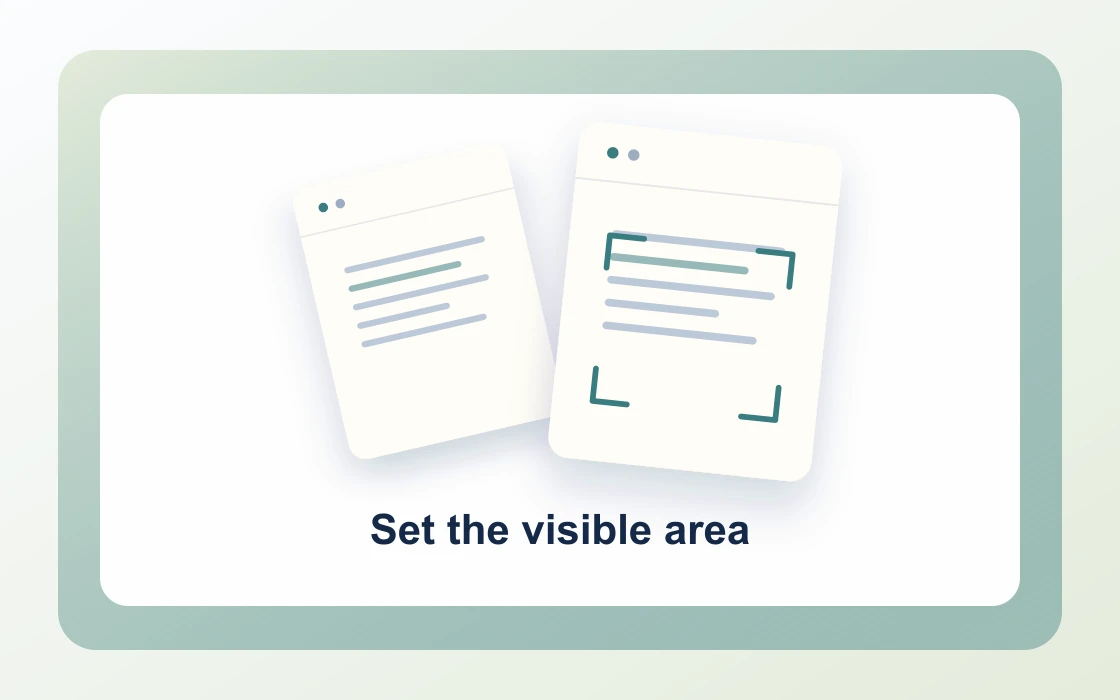
  2. Set the visible area.

    Enter margins in points. A crop can be reversed and must never be used to hide sensitive information.

    Set the visible area
  3. Check the cropped copy.

    Download the result and open it to check that it contains what you need.

    Check the cropped copy
Visual Workflow Preview

Workflow example and result

See how crop pdf free online tool works in practice: input Wide page margins and produce Trimmed margins directly on your device with complete privacy.

Crop PDF · In-Memory Pipeline 100% Client-Side
Crop pdf Free Online Tool example showing Wide page margins and the output, Trimmed margins

Crop pdf Free Online Tool — Reframe Page Dimensions

Trim excess scanner borders, balance printer margins, and optimize document viewing for tablets and mobile readers.

Point Precision

Simple Way to Crop PDF Documents Online

Eliminate wide scanner margins, uneven border scans, and unwanted printer headers by specifying exact crop margins.

The tool adjusts PDF CropBox and MediaBox boundaries without reducing embedded photo resolution.

Crop PDF Preview
Scanned_Book.pdf
Crop
Cropped_Book.pdf
Dark scanner margins and excess white space cleanly trimmed
Boundary Controls

Independent Margins for Top, Bottom, and Sides

Specify top, right, bottom, and left trim dimensions in points for balanced page framing.

Apply cropping to all pages or target specific single-page scans in your document.

1Top_Trim36 pt
2Side_Trim24 pt
3Bottom_Trim36 pt
Non-Destructive

Safe In-Browser Bounding Box Adjustments

Avoid online tools that re-compress and blur your scanned documents during cropping.

PDF Chassis updates geometric viewing vectors inside browser memory, keeping document contents crisp and private.

Zero Server Uploads

All boundary calculations execute locally in WebAssembly.

  • Standard CropBox & MediaBox adjustments
  • Preserves full resolution vector art and high-res photos
  • Ideal for scanned textbooks, invoices, and receipts

Everything You Need in a Free PDF Cropper

Reframe pages cleanly for presentation and mobile reading with zero daily task limits.

Immediate In-Browser Processing

Use Crop PDF directly in your web browser with zero software installations, extensions, or account sign-ups.

Works Seamlessly on Any Device

Enjoy full cross-platform compatibility whether you work on Mac, Windows, Linux, iPad, or mobile Safari on iPhone.

100% In-Browser Privacy

Unlike server-upload platforms, our WebAssembly engine runs exclusively in your browser memory. Files never leave your device.

Preserves Document Integrity

Each document keeps its original vector curves, embedded fonts, and text searchability without visual degradation.

Precision Controls & Flexibility

Fine-tune page ranges, orientations, and output settings with intuitive, instant controls before saving.

100% Free with No Daily Limits

Process your documents without hitting arbitrary daily usage limits, subscription paywalls, or forced email registrations.

Recommended reading

Crop PDF articles

See all Crop PDF articles
Edit4 min read

How to trim margins from a PDF

Learn how to trim margins from a PDF. Reduce the visible border around a page while keeping the original file available.

Read guide
Edit4 min read

How to crop selected PDF pages

Learn how to crop selected PDF pages. Apply a margin adjustment to a specific section without affecting other pages.

Read guide
Edit4 min read

How to clean scan borders in a PDF

Learn how to clean scan borders in a PDF. Dark edges and scanner-bed borders can distract from the page content.

Read guide
Edit4 min read

How to check the print area after cropping a PDF

Learn how to check the print area after cropping a PDF. A cropped page can scale differently when printed on a standard paper size.

Read guide
Edit4 min read

How to understand PDF cropping and redaction

Learn how to understand PDF cropping and redaction. Cropping changes what a viewer shows, while sensitive information can remain in the file.

Read guide
By deviceiPhoneMacWindows

Crop PDF FAQ

How to crop PDF online?

Choose your document in the Crop pdf Free Online Tool, specify margin trim values (top, right, bottom, left) in points, and download your newly framed PDF.

Can I crop PDF files for free online without sign-up?

Yes. PDF Chassis requires no user registration, email address, or payment. Trim documents freely with zero quota gates.

How does cropping work in PDF Chassis?

The tool adjusts the PDF CropBox and MediaBox boundaries, cleanly trimming outer margins without reducing image resolution or rasterizing text.

Can I crop specific pages only?

Yes. Enter specific page numbers or ranges (e.g. 1, 3-5), or leave blank to apply uniform margin trimming across the entire file.

How to crop PDF on Mac free?

Open Safari or Chrome on macOS, choose your PDF in PDF Chassis Crop PDF, enter your margin trim values, and download the cropped file directly in Finder.

How to crop PDF on iPhone free?

On iOS, open Safari, select your document from Files in Crop PDF, set your trim points, and save the reframed PDF back to your device.

Can cropping be used to redact confidential data?

No. Cropping changes the visible display box; to securely remove sensitive text, use PDF sanitization or page removal instead of visual cropping.

Does cropping affect PDF file size?

Cropping redefines viewing dimensions without stripping hidden background data, so file size remains similar while display margins become clean.

Can I crop scanned books and double-page spreads?

Yes. Trimming margin edges is ideal for scanned textbooks, research papers, and receipts that have dark scanning borders.

Is in-browser PDF cropping secure?

Yes. PDF Chassis operates completely inside your browser sandbox, guaranteeing that personal documents never leave your computer.

Ready when you are.

Use Crop PDF